

The best Black Friday desk upgrade is the one that addresses something missing from your everyday setup. Start with a desktop speaker if you want music without headphones, a customizable display if your space feels plain, or a digital photo frame if you want favorite memories in view. Choose around your habits, available space, and budget.
Buying a gift for yourself can be as thoughtful as choosing one for someone else. Your desk may be where you work, study, play games, and make things. This guide helps you decide what deserves a place there, then compares Divoom options for audio, pixel art, information, and photos without turning your shopping list into a complete desk replacement.
Why Is Black Friday a Good Time to Upgrade Your Desk?
Black Friday gives you a reason to revisit the small frustrations you usually put off. Perhaps you keep listening through thin laptop speakers, have no easy place to display your own artwork, or never see the travel photos sitting on your phone. Naming that frustration helps you make a purchase with a purpose.
Self-gifting does not have to mean buying the most expensive version of something. It can mean choosing one object you expect to enjoy repeatedly. A speaker used through the working week or a frame that rotates meaningful photographs may fit your life better than several accessories bought simply because they were discounted.
Make a shortlist before browsing offers. Write down one main need, a comfortable spending limit, and the space available. Then compare the promotional total with the relevant individual prices. A sale creates an opportunity to buy well; the product still needs a reason to stay on your desk after the shopping weekend.
What Should You Upgrade First in Your Desk Setup?
Look at your desk while you are actually using it, rather than judging it only from a photograph. What do you keep wishing were different? Separate a functional problem, such as missing audio, from a visual preference, such as wanting a more expressive display. Both can matter, but they point to different purchases.
If your desk feels too quiet and you want music aloud, start with audio. If it feels too plain, consider artwork or a customizable visual display. If it feels impersonal, bring a favorite photograph into view. If you repeatedly check the same clock or information, decide whether a small dedicated dashboard would be useful.
Check the basics before adding technology. Clear unused items, route the existing cables, and keep room for your keyboard, notebook, and mouse. When the problem is clutter or poor placement, rearranging what you own may be the best first upgrade. Leave space for the new device's cable and controls as well as its base.
| What you notice | Upgrade direction | Divoom option to explore |
|---|---|---|
| You want music without wearing headphones | Desktop audio | AstroToo, Ditoo-Pro, MiniToo |
| You want a changing canvas for original art | Pixel-art display | Pixoo-64 II |
| You want clocks and selected information in view | Five-screen dashboard | Times Gate |
| Your favorite photos stay hidden on your phone | Personal photo display | Times Frame |
| You genuinely need both audio and a dashboard | Two-device setup | AstroToo + Times Gate |
Best Desk Speakers for Music, Work, and Everyday Listening
A desktop speaker is worth considering when you want music while drawing, answering email, or relaxing after work. Think about listening distance, convenient controls, and your playback source. A device that works easily with your daily phone or computer routine is more useful than one chosen only for a specification.
MiniToo fits the small retro-computer direction, while Ditoo-Pro combines a miniature vintage-PC look with physical keys and pixel visuals. They suit desks where appearance and everyday listening are both part of the appeal. Check each model's supported inputs and dimensions before deciding where it will sit.
AstroToo is the option to examine when you want audio and an expressive display in one desktop centerpiece. Its 20W speaker, 3.95-inch screen, keys, and joystick combine listening with visual customization. It makes particular sense when you want to replace a generic desk object with something you can keep changing.
For a familiar playback example, Spotify's official Bluetooth instructions explain pairing a compatible source device with an audio device before opening Spotify to play. If you also plan to buy for someone else, our Christmas gift guide for music lovers explores different listening routines.

How to Make Your Desk Setup More Personal with Pixel Art
Pixel art gives a desk a visual language beyond the color of its keyboard and mouse. You might display an original landscape, a tiny pet portrait, a seasonal animation, or a simple pattern that matches your room. Start with subjects you enjoy seeing rather than trying to copy an entire showcase setup.
Pixoo-64 II provides a 64 × 64 LED canvas for artwork and animations. Its main role in this guide is the larger, unified pixel-art view: one composition with room to read as an image. It suits someone who enjoys creating, selecting, and changing visual content over time.
Plan the placement before choosing the artwork. A display behind your main monitor may be partly hidden; one beside it may be easier to enjoy. Consider whether desktop placement or supported wall mounting fits your room, and keep the power route practical. A good-looking product photograph does not show the exact viewing conditions of your own desk.
You can experiment before buying with the pixel art generator and Divoom device preview. Test a simple composition and see whether important shapes remain recognizable at a small resolution. Preview tools are useful for planning; check the product's actual format and upload requirements separately.
Should You Add a Smart Display to Your Desk?
A dedicated smart display can be useful if you want selected information visible without occupying a window on your main computer screen. Decide what you would actually glance at: a clock, a countdown, weather, or a supported account counter. If you cannot name a use, you may prefer artwork or a simple desk clock.
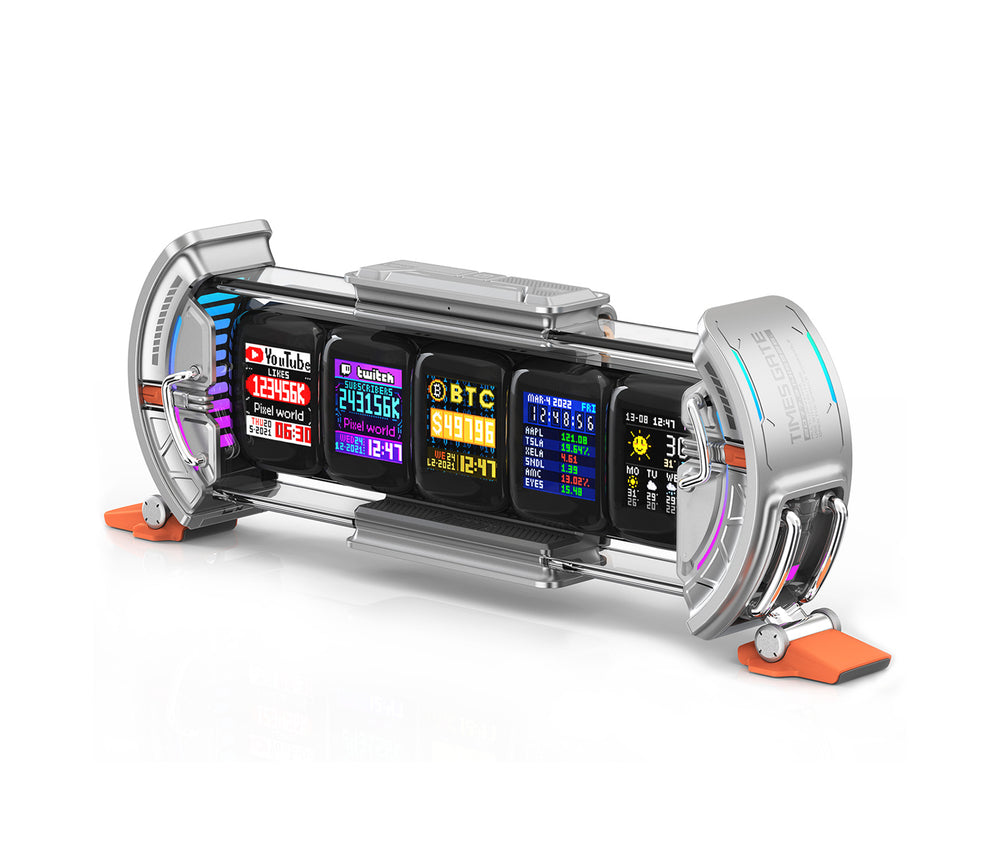
Times Gate takes a different approach from a single pixel-art canvas. It has five 128 × 128 LCD screens, allowing separate visual panels across one device. You can build a mixture of clock faces, visual content, and supported information widgets through the Divoom app.
Plan for its physical and connection requirements. The product page lists a size of 283 × 47 × 97 mm, 2.4GHz Wi-Fi operation, and continuous power with no built-in battery. Measure the strip of desk where you want it and make sure a suitable network and power connection are available.
Select a few useful panels rather than filling every screen with something that demands attention. Information services may depend on app support, account connections, and availability. Verify the exact data source you care about before buying; a list of example widgets is not a guarantee for every third-party account.
How to Keep Your Favorite Photos and Memories on Your Desk
Sometimes the missing part of a desk is something personal. A vacation photograph, a picture of your pet, or a moment with family can be more meaningful than another accessory chosen to match a color scheme. Start by selecting the images you want to see before deciding how to display them.
A traditional frame is a straightforward choice for one lasting photograph. A digital frame makes more sense when you enjoy changing pictures or showing a collection. Think about how often you will update it, whether you like using an app, and how the display will look from your usual seat.
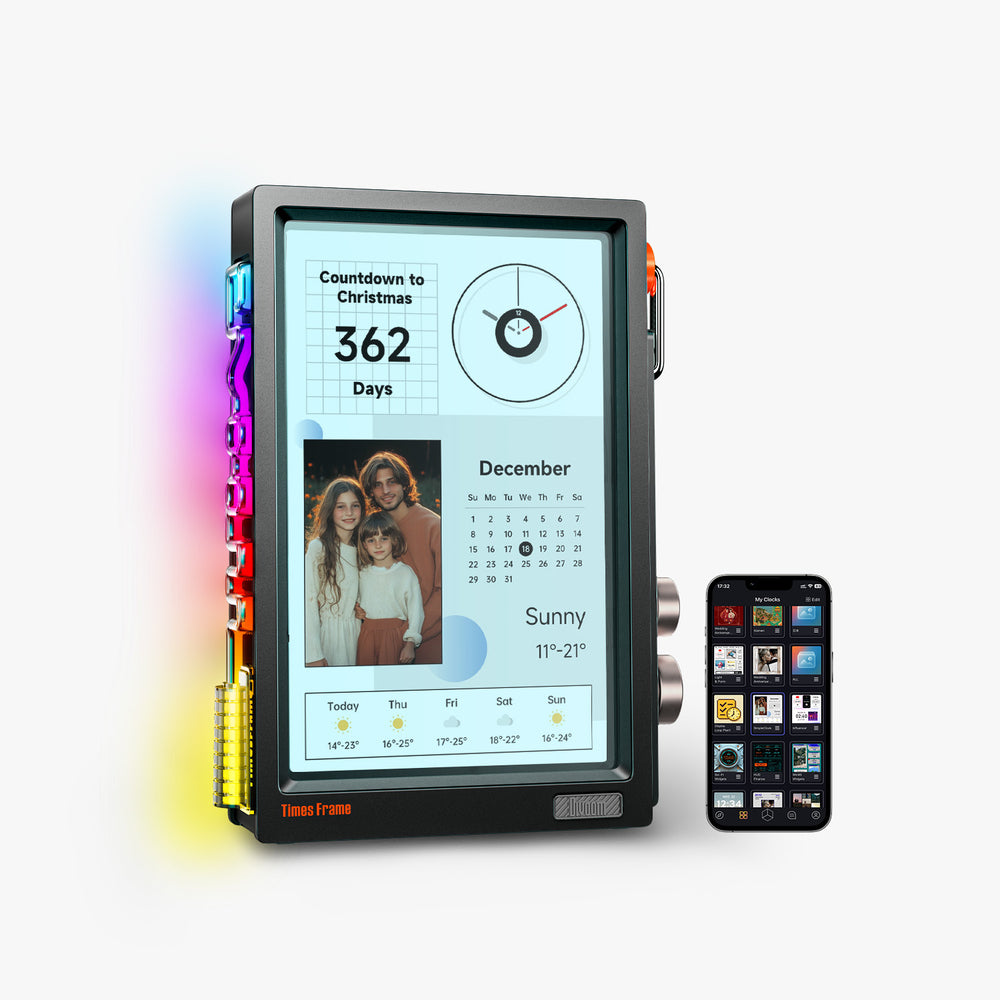
Times Frame combines photo and video display with customizable clock faces and other supported smart-display content. For this desk-upgrade decision, its strongest role is bringing personal images into everyday view. You do not need to use every widget for the purchase to make sense.
Choose a small, intentional album rather than uploading everything at once. Try a mix of wide and close-up photographs, check how each crop appears, and remove duplicates. For a shared office, choose pictures you are comfortable displaying where coworkers or visitors can see them, and review sharing settings before inviting others.
Should You Buy One Desk Gadget or Build a Complete Setup?
Buy one device when one need stands out. If your current audio works well, a display may add more value than another speaker. If all you want is music and a little visual personality, a speaker with its own screen may be enough. A complete setup can grow gradually.
Consider two devices when each has a separate job. AstroToo + Times Gate combines desktop audio with a five-screen dashboard, while AstroToo + Times Frame pairs audio with a separate photo-oriented display. These combinations solve different needs; choose by the second device's purpose rather than by how full the desk looks.
For a room-to-room upgrade, AstroToo + FlowToo pairs a desk speaker with a bedside device. It is relevant if you want to improve both spaces, but the FlowToo portion is not essential to a desk-only project. Bundled speakers should not be assumed to support stereo pairing or synchronized multi-room playback.
Compare the Black Friday desk setup bundles with the applicable single-product promotional prices. AstroToo + Times Gate is planned at $238.98 USD, versus $253.98 for those listed singles combined. AstroToo + Times Frame is $284.98, versus $299.98 for the singles. In both examples, the difference is $15 before taxes and shipping.
How Much Should You Spend on a Black Friday Desk Upgrade?
Set your limit around one outcome: better everyday audio, a larger canvas for visual expression, or favorite photographs in view. You do not need a large budget to make a noticeable change, and you do not need to spend every dollar simply because a bundle is available.
The planning table below uses Divoom's published November 12–30, 2026 Black Friday USD prices, checked November 2. These are planned product prices before applicable taxes and shipping. Current product pages may show different prices before the event; check the actual checkout total and available options when ordering.
At around $50, MiniToo is the compact retro-audio direction. Around $100, Ditoo-Pro gives you another desktop style, while an existing good speaker might make saving for a display the more useful choice. Between $100 and $150, decide among artwork, information, audio, and photos before comparing models.
Divoom's event runs from November 12 at 12:00 a.m. through November 30 at 11:59 p.m., Pacific Time. Read the Black Friday preparation guide for the broader event and Black Friday vs Cyber Monday comparison if timing is your remaining question.
Before paying, review the shipping options and current return eligibility. Keep packaging while you assess the device, and confirm any advertised holiday-return extension applies to your particular order. A comfortable purchase includes the delivery costs and terms as well as the gadget.
| Product budget | Upgrade to consider | Planned price (USD) |
|---|---|---|
| Around $50 | MiniToo: compact retro audio | $49.99 |
| $50–$100 | Ditoo-Pro: retro desktop audio and pixel visuals | $67.99 |
| $100–$150 | Times Gate: five-screen dashboard | $103.99 |
| $100–$150 | Pixoo-64 II: pixel-art canvas | $107.00 |
| $100–$150 | AstroToo: desktop audio and display | $149.99 |
| $100–$150 | Times Frame: photos and smart-display content | $149.99 |
| Around $250 | AstroToo + Times Gate: audio and dashboard | $238.98 |
Frequently Asked Questions About Black Friday Desk Upgrades
What are the best Black Friday desk upgrades?
The best choice addresses a gap you notice daily. Consider audio if you want music aloud, a pixel-art display for original visuals, a dashboard for selected information, or a photo frame for memories. Clear clutter and check placement before adding a device.
What should I buy to improve my desk setup?
Choose one priority first. A useful lamp, better cable organization, or a rearrangement may matter more than another gadget. Once your practical needs are covered, add audio, artwork, or photos according to the experience you want at your desk.
Are desktop Bluetooth speakers worth buying?
They can be worthwhile if you want to listen without headphones and your current audio is unsatisfying. Check playback compatibility, controls, footprint, and power requirements. Keep the speakers you already enjoy if another device would only duplicate their role.
How can I make my desk setup more personal?
Display something connected to your interests: an original drawing, a meaningful photograph, or a visual theme you enjoy. Use a small number of intentional objects. A customizable screen can help if you like changing the look without buying more decor.
Are pixel art displays good for desk setups?
They suit people who enjoy pixel artwork, animations, and changing visual themes. Check viewing distance, power, placement, and the upload workflow. A 64 × 64 artwork canvas serves a different purpose from a five-screen information dashboard.
What is the difference between a smart display and a digital photo frame?
A smart display generally emphasizes clocks, information, or widgets, while a digital photo frame emphasizes personal pictures. Some products overlap. Times Gate uses five separate screens for visual panels; Times Frame combines personal photo display with supported smart functions.
Should I buy individual desk accessories or a bundle?
Choose an individual device when it solves your main problem. Choose a bundle when you need every included item and its total compares favorably with relevant single prices. Plan separate roles and enough room before committing to multiple devices.
When is the best time to buy desk accessories during Black Friday 2026?
For Divoom's published event offers, plan around November 12–30, Pacific Time. You can shop participating planned prices during that period rather than waiting solely for the final day. Confirm stock, checkout pricing, shipping, and return terms before ordering.
Conclusion: Make Your Desk a Place You Enjoy Every Day
A thoughtful self-gift begins with noticing what you want from a space you use often. That may be music without headphones, original artwork beside your monitor, a useful dashboard, or a photograph that means something to you. Pick the outcome before picking the device.
Start with audio for a quieter desk, pixel art for visual expression, a five-screen display for selected information, or a frame for personal memories. Consider a combination only when both devices have a clear role. The aim is a desk you enjoy using, with room for your actual day.
Explore the Divoom Black Friday offers to compare the planned single-product and bundle prices. Choose one upgrade that fits your space and budget, personalize it, and give yourself time to enjoy what it adds. Your desk deserves a little something too.


