

Un écran intelligent n'a pas besoin d'être posé sur votre bureau. En fait, certains des meilleurs agencements placent l'écran dans un endroit inattendu — sur un mur, au-dessus d'un écran, ou fixé à côté d'une étagère. Quand l'écran est une toile de pixel art, le placement compte autant que le contenu, car l'appareil lui-même devient une partie du design visuel de la pièce.
Pixoo-64 et Pixoo Max sont les deux écrans intelligents Divoom conçus spécifiquement pour le pixel art. Les deux peuvent être posés sur un bureau ou fixés au mur, et le choix entre eux dépend de si vous voulez un compagnon de bureau ou une œuvre d'art de taille murale.
Ce guide couvre quatre stratégies de placement et de contenu pour les écrans intelligents de pixel art, afin que vous puissiez décider où placer le vôtre et quoi y afficher.
Placement sur bureau : Pixoo-64 comme compagnon de bureau
Sur un bureau, le Pixoo-64 fonctionne comme une toile de pixel art vivante qui se place à côté de votre écran ou dans l'espace entre votre clavier et le mur. Son panneau LED 64x64 est assez grand pour lire les détails à bout de bras mais assez compact pour tenir dans un coin du bureau sans dominer la surface.
Placez le Pixoo-64 sur un petit support ou un rehausseur pour qu'il s'incline vers vous. Le support intégré permet une orientation paysage ou portrait. En mode paysage, les paysages en pixel art et les animations horizontales sont les plus beaux. En mode portrait, les personnages, les compte à rebours et les affichages textuels se lisent plus naturellement.
Utilisez le Pixoo-64 pour afficher une sélection tournante de pixel art provenant de la bibliothèque communautaire Divoom. Programmez-le pour changer d'œuvre toutes les 30 secondes ou toutes les quelques minutes. La rotation visuelle maintient le bureau frais sans que vous ayez à créer de nouvelles œuvres chaque jour. Ajoutez un widget horloge dans un coin pour que l'écran serve aussi d'horloge.

Fixation murale : Pixoo Max comme œuvre murale emblématique

Si vous souhaitez que le pixel art soit le point central d'une pièce, montez le Pixoo Max sur un mur. Son grand panneau LED crée une présence visuelle marquante qui fonctionne comme une œuvre murale, un accent de la pièce ou une pièce maîtresse pour une salle de jeux. Le kit de fixation murale maintient l'écran bien à plat contre la surface, avec un seul câble d'alimentation allant jusqu'à la prise la plus proche.
Choisissez un emplacement mural dans les zones où l'espace sur le bureau est limité ou où vous souhaitez que l'écran soit visible de l'autre côté de la pièce. Au-dessus d'un moniteur, à côté d'une télévision ou sur un mur vide près de votre bureau — ce sont tous des emplacements idéaux pour un écran intelligent à pixel art monté au mur.
Pour le Pixoo Max monté au mur, utilisez du pixel art à grande échelle qui se lit bien de loin. Les paysages urbains, les scènes de jeux rétro, les effets d'aurore animés et la typographie audacieuse fonctionnent tous mieux à l'échelle murale qu'un travail de personnage très détaillé. La bibliothèque communautaire de l'application Divoom contient des milliers de designs optimisés pour différentes distances de visionnage.
Double placement : Pixoo-64 sur le bureau et Pixoo Max au mur ensemble
La configuration de pixel art la plus immersive utilise les deux appareils : Pixoo-64 sur votre bureau pour une interaction rapprochée et Pixoo Max au mur pour un art d'ambiance à l'échelle de la pièce. Les deux écrans peuvent afficher des contenus différents simultanément via l'application Divoom, et vous contrôlez chacun indépendamment.
Configurez le Pixoo-64 pour afficher du contenu interactif — un compteur social, un minuteur Pomodoro, ou du pixel art que vous créez ou personnalisez pendant les sessions de travail. Laissez le Pixoo Max gérer l'ambiance de la pièce avec des animations ambiantes lentes, des scènes naturelles ou du pixel art lo-fi qui change de palette de couleurs tout au long de la journée.
L'effet combiné crée un environnement de pixel art en couches. Votre bureau offre une toile tactile et interactive, tandis que l'écran mural transforme la pièce elle-même en galerie de pixel art. Cette configuration fonctionne particulièrement bien dans les salles de jeux, les studios de streaming et les espaces de travail créatifs où la personnalité visuelle fait partie de l'expérience.

Stratégies de rotation de contenu pour écrans à pixel art
Peu importe où vous placez votre écran intelligent à pixel art, la rotation du contenu le rend intéressant. L'application Divoom vous permet de créer des playlists de pixel art qui défilent automatiquement. Vous pouvez organiser les playlists par humeur, palette de couleurs ou thème — et passer de l'une à l'autre tout au long de la journée.
Les playlists du matin peuvent présenter un pixel art lumineux et chaleureux avec des thèmes naturels. Les playlists de l'après-midi pourraient se concentrer sur des motifs abstraits ou des références aux jeux rétro. Les playlists du soir peuvent utiliser des couleurs plus sombres et plus froides qui réduisent l'émission de lumière bleue et créent une atmosphère plus calme.
Pixoo-64 et Pixoo Max prennent tous deux en charge les changements de contenu programmés via l'application. Définissez une playlist différente pour chaque heure de la journée, ou laissez l'appareil faire défiler aléatoirement l'art de la communauté. L'essentiel est de garder l'affichage vivant plutôt que statique, ce qui est tout l'intérêt d'un écran intelligent d'art pixelisé.
Questions fréquemment posées
Pixoo-64 peut-il être fixé au mur ?
Oui. Pixoo-64 comprend des trous de fixation à l'arrière compatibles avec les supports muraux standards. Pixoo Max supporte également la fixation murale et est livré avec un kit de montage. Les deux appareils peuvent être posés sur un bureau ou accrochés au mur selon votre préférence.
Lequel est meilleur pour l'art mural — Pixoo-64 ou Pixoo Max ?
Pixoo Max est mieux adapté pour l'art mural grâce à sa taille de panneau plus grande, qui rend l'art pixelisé lisible de l'autre côté de la pièce. Pixoo-64 fonctionne aussi bien sur un mur, mais sa résolution 64x64 est mieux appréciée à une distance plus proche sur bureau. Pour une pièce murale marquante, Pixoo Max est le choix recommandé.
Comment trouver de l'art pixelisé conçu pour des écrans muraux ?
La bibliothèque communautaire de l'application Divoom vous permet de rechercher et filtrer l'art pixelisé par résolution et catégorie. Recherchez des designs étiquetés « paysage », « ambiance » ou « grand format » — ils sont généralement optimisés pour des distances de visionnage plus grandes. Vous pouvez aussi créer votre propre art avec l'éditeur intégré de l'application Divoom.
Choisissez votre configuration d'écran intelligent d'art pixelisé
Que vous placiez votre écran intelligent d'art pixelisé sur un bureau ou que vous le fixiez au mur, Pixoo-64 et Pixoo Max transforment votre espace en une toile vivante. Le bon emplacement fait la différence entre un gadget que vous regardez et une œuvre d'art que vous vivez.
Choisissez votre affichage d'art pixelisé
L'art pixelisé est à son meilleur sur la bonne toile. Choisissez Pixoo-64 pour une interaction sur bureau ou Pixoo Max pour un art mural à l'échelle de la pièce.
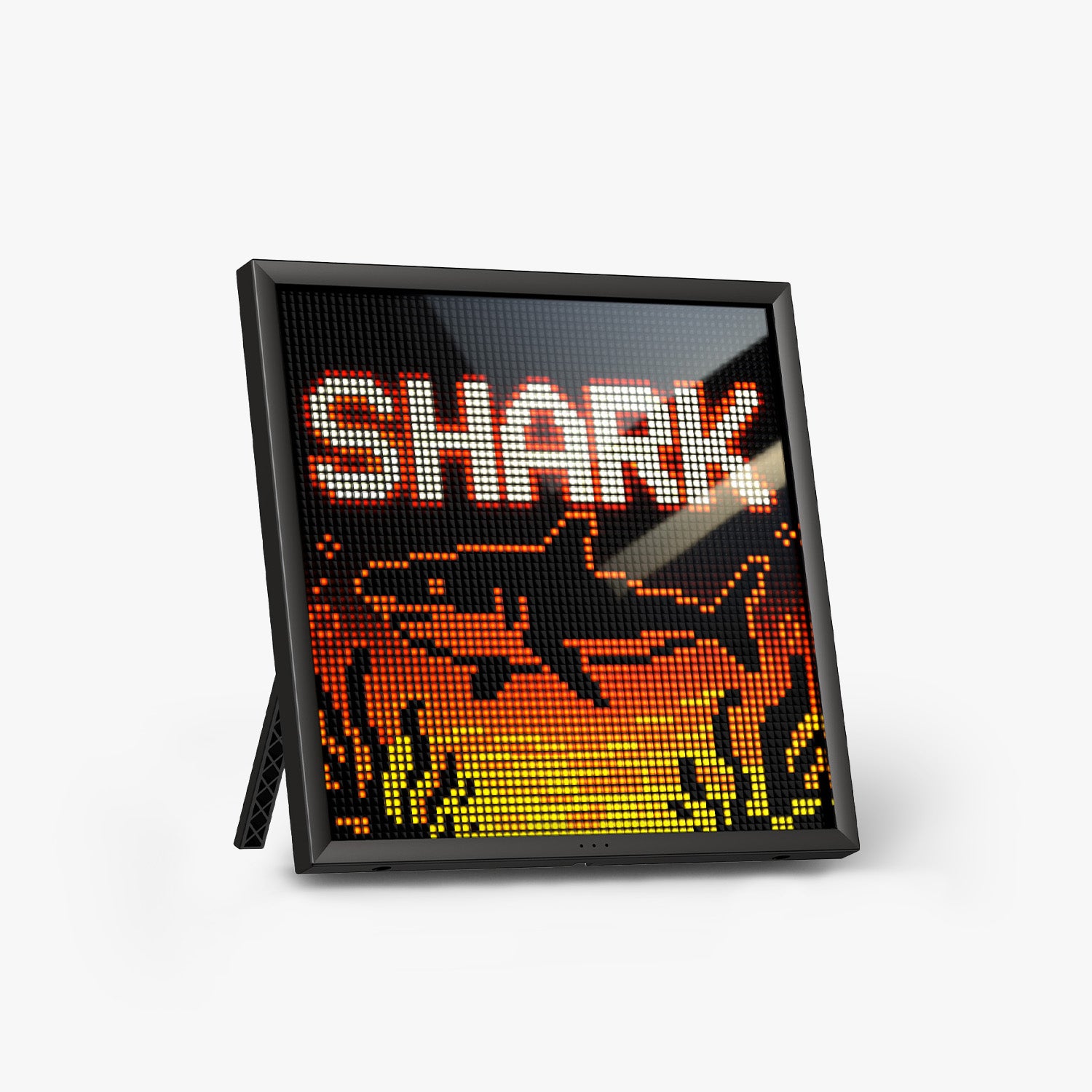
Divoom Pixoo-64
Toile compacte d'art pixelisé pour bureau
Panneau LED 64x64 parfait pour une installation sur bureau. Fait défiler l'art pixelisé de la communauté, affiche horloges et compteurs, et s'adapte à tout espace de travail.
Voir Pixoo-64
Divoom Pixoo Max
Affichage d'art mural grand format
Panneau LED plus grand conçu pour une fixation murale. Assez grand pour être lu de l'autre côté de la pièce, assez audacieux pour ancrer une salle de jeux ou un studio.
Voir Pixoo Max

